


The Audion Music Box
The Audion Music Box
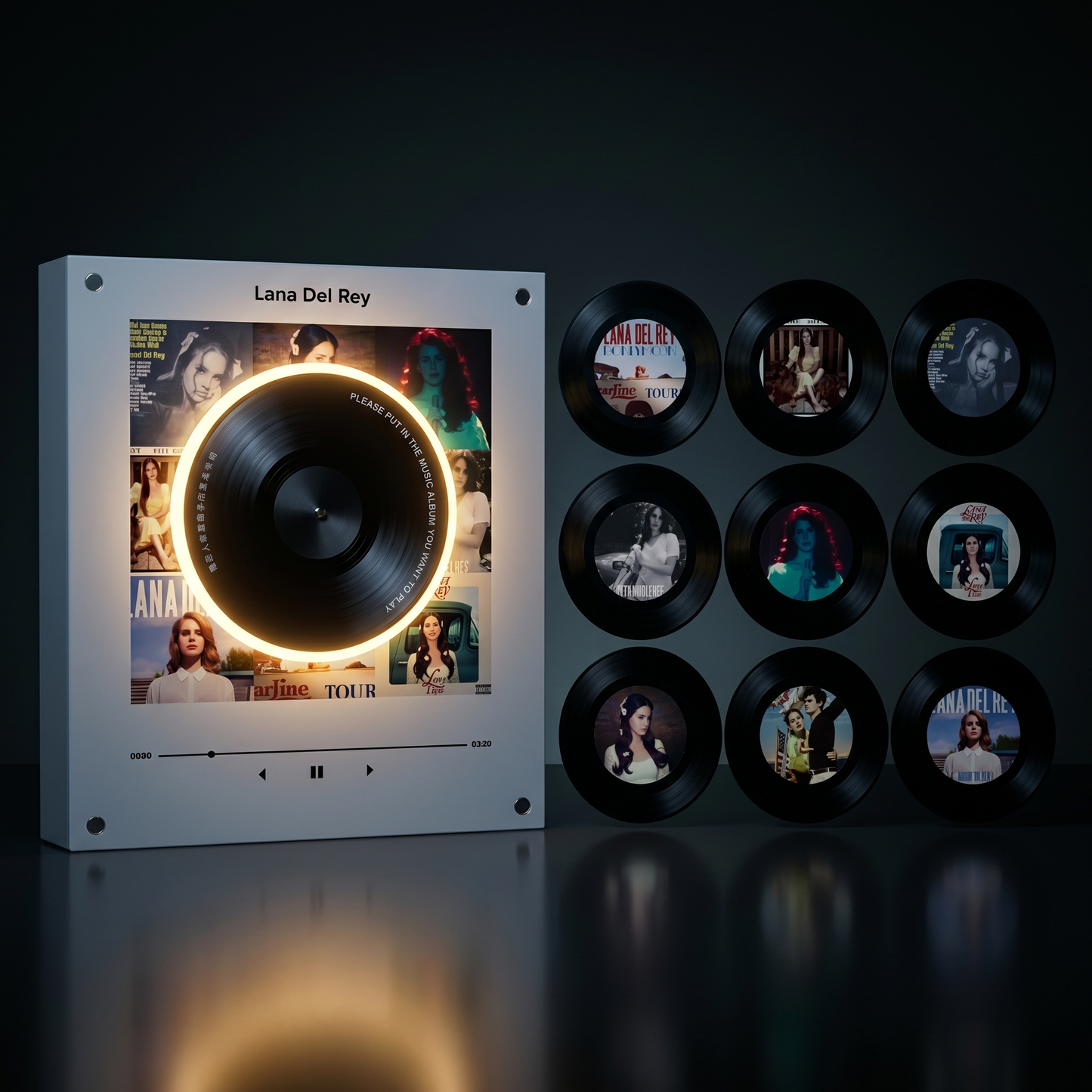
✨ 9 collectible mini discs included
🎵 Pick any 9 songs you want
🧲 Magnetic — stick it on your fridge or desk
🎁 The perfect gift for any music fan
Couldn't load pickup availability

The Audion Music Box
Items Included
Items Included
- 1 Mini Music Box Player
- 9 Collectible Vinyl Discs
- USB-C Cable for Music Import
Shipping & Returns
Shipping & Returns
Free worldwide shipping on every order 🌍
After you place your order, you'll get a confirmation email with tracking so you can keep an eye on your package the entire way ✨
Shipping typically takes 2-3 weeks depending on your location. We ship to the US, UK, Europe, and most international locations.
All sales are final.


How it works!
See it in action 🔥
Frequently Asked Questions
How does it work?
How does it work?
⚡ Step 1: Charge It
Plug in the included USB-C cable and give your music box a full charge before first use.
🔌 Step 2: Connect to Your Computer
You'll need a USB-C cable that connects from the music box to your computer or laptop. If your computer doesn't have a USB-C port, grab a USB-C adapter.
🎵 Step 3: Load Your Songs
Once plugged in, the music box will show up on your computer like a flash drive. You'll see 9 folders numbered 1-9. Download any song you want as an MP3 file and drag it into one of the numbered folders. One song per folder.
⏏️ Step 4: Safely Eject
When all 9 songs are loaded, click the small arrow on your taskbar, click the drive icon, and hit eject. Then unplug the cable.
💿 Step 5: Prep Your Discs
Peel the protective sticker off each mini disc. Place the small stickers onto the back of each disc where the magnet is.
🎶 Step 6: Play
Turn on the music box, place a disc on the player, and enjoy your favorite songs.
How do I change a song later?
How do I change a song later?
Plug the music box into your computer with the USB-C cable. Find the folder for the disc you want to change, delete the old song, and drop in a new MP3. Takes less than a minute.
Which audio formats are supported?
Which audio formats are supported?
MP3 only. Files like WAV, FLAC, or M4A won't work. If your song isn't an MP3, you can convert it for free at CloudConvert.com.
Do I need Spotify or any streaming subscription?
Do I need Spotify or any streaming subscription?
Nope. Once you load your songs from your computer, the music box runs completely on its own. No wifi, no apps, no subscriptions. Your music, your way.
Does it work with Bluetooth?
Does it work with Bluetooth?
No — the music box plays directly from your uploaded MP3 files. No bluetooth, no pairing, just drop a disc and it plays.
Does it come preloaded?
Does it come preloaded?
No — you choose your own songs and load them yourself. That's the best part, you pick exactly what you want to hear.